Make it your environment.
Connect AutoExplore to your web application and define the boundaries for testing.
Autonomous software testing
Your app keeps evolving. Let your testing keep up. AutoExplore navigates like a real user to find errors, security vulnerabilities, and accessibility issues before they reach production.
No test scripts. No constant maintenance. Just exploration.
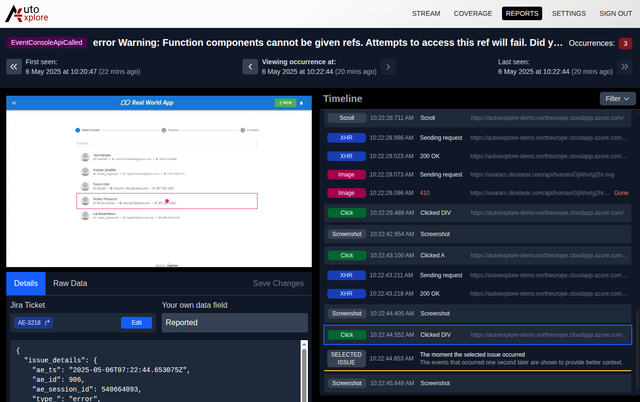
A different kind of testing
Watch an autonomous agent follow user flows, interact with your interface, and turn issues into actionable reports.

From setup to insight
Connect AutoExplore to your web application and define the boundaries for testing.
Agents navigate, click, and fill forms autonomously. No prewritten test scripts required.
Review reproducible issues, security findings, and accessibility reports with your team.
Traditional test automation often fails when teams are under pressure. Best practices get skipped, scripts become outdated, and quality suffers.
Manual testing is slow and delays releases
Automated scripts need constant maintenance
Manual processes are prone to mistakes
AutoExplore is designed to help with these challenges by clicking every link, filling every form, and going through every feature of your application autonomously and continuously.
Traditional test automation falls short when teams are under tight schedules. AutoExplore brings autonomous, intelligent testing that adapts to your application.
AutoExplore uses tailored machine-learning algorithms to generalize application testing. It explores your app through the browser interface, just like a real user would.
Clicks every link, fills every form, and tests every feature of your application autonomously and continuously without manual intervention.
Intelligent security scanner that combines real-browser exploration with automated vulnerability analysis. Identify hidden security misconfigurations.
Ensure compliance with European Accessibility Act (EU Directive 2019/882). Detect accessibility issues automatically across your entire application.
AutoExplore extends your current testing processes. It adds an extra layer of validation, reducing the risk of undetected failures in production.
Detailed reports with steps taken, network traffic, client-side scripts, and screenshots. Everything your R&D team needs to reproduce and fix issues.
See how forward-thinking companies are transforming their testing workflows.

Netvisor ERP Platform
"Solving complex ERP, accounting and tax processes for tens of thousands of different sized organizations is no easy task. Ever-changing customer needs, legal requirements and environment changes require constant updates to the software. Over the years, used technologies have also changed. This creates a challenge for updating and managing a good level of test automation to ensure first class user experience."
"AutoExplore is easy to configure and use. An innovative product that finds issues traditional testing methods don’t necessarily catch. It goes through the application comprehensively in a timeframe no human could match."
Team Lead, Visma Aquila Oy
"Yhteistyö AutoExploren kanssa on ollut sujuvaa ja toimivaa. Yhteydenpito ja reagointinopeus ansaitsevat erityismaininnan. Tarpeemme huomioitiin hyvin, ja testausagentin toimintaa kehitettiin pilotin aikana suunnitelmallisempaan suuntaan. Olemme tunnistaneet myös jatkokehityskohteita ja näemme AutoExploressa selkeää potentiaalia. AI:n hyödyntäminen tutkivassa testauksessa on tulevaisuutta, jossa mekin haluamme olla mukana."
QA Lead, Oima Oy
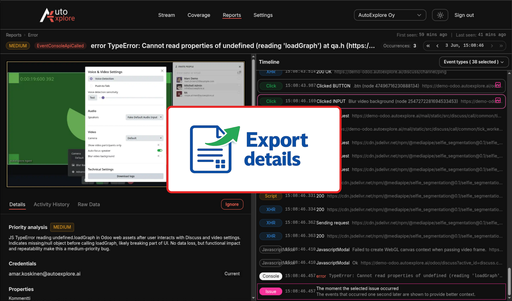
We are building an export workflow that moves AutoExplore issue evidence out of the testing environment so teams can enrich it with source-code context, improve root cause analysis, write better backlog tickets, and generate stronger AI-assisted fix ideas.
Read more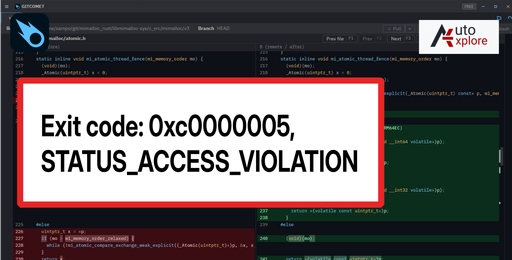
A mimalloc 3.3 upgrade crashed Windows ARM64 CI with STATUS_ACCESS_VIOLATION. The trail ran through Rust build scripts, C atomics, crash dumps, and a subtle load-vs-CAS bug.
Read more
AutoExplore now uses GitComet internally for Git workflows on large repositories and large diffs. We are open-sourcing GitComet so it is free for individuals and organizations.
Read more
AutoExplore is building a benchmark for agentic exploratory testing. We want the community’s input on the metrics that should define exploration quality, defect detection, and efficiency.
Read moreSee how AutoExplore explores your application like a real user and helps you catch issues earlier. Get a guided 7 day trial and evaluate the impact with your team.